
Seal a message. Unlock a moment.
Write something for someone special — a partner, a family member, a best friend — and seal it until a date you choose. When it unlocks, you both find out at the exact same moment.
Seal one right now — free, no app required →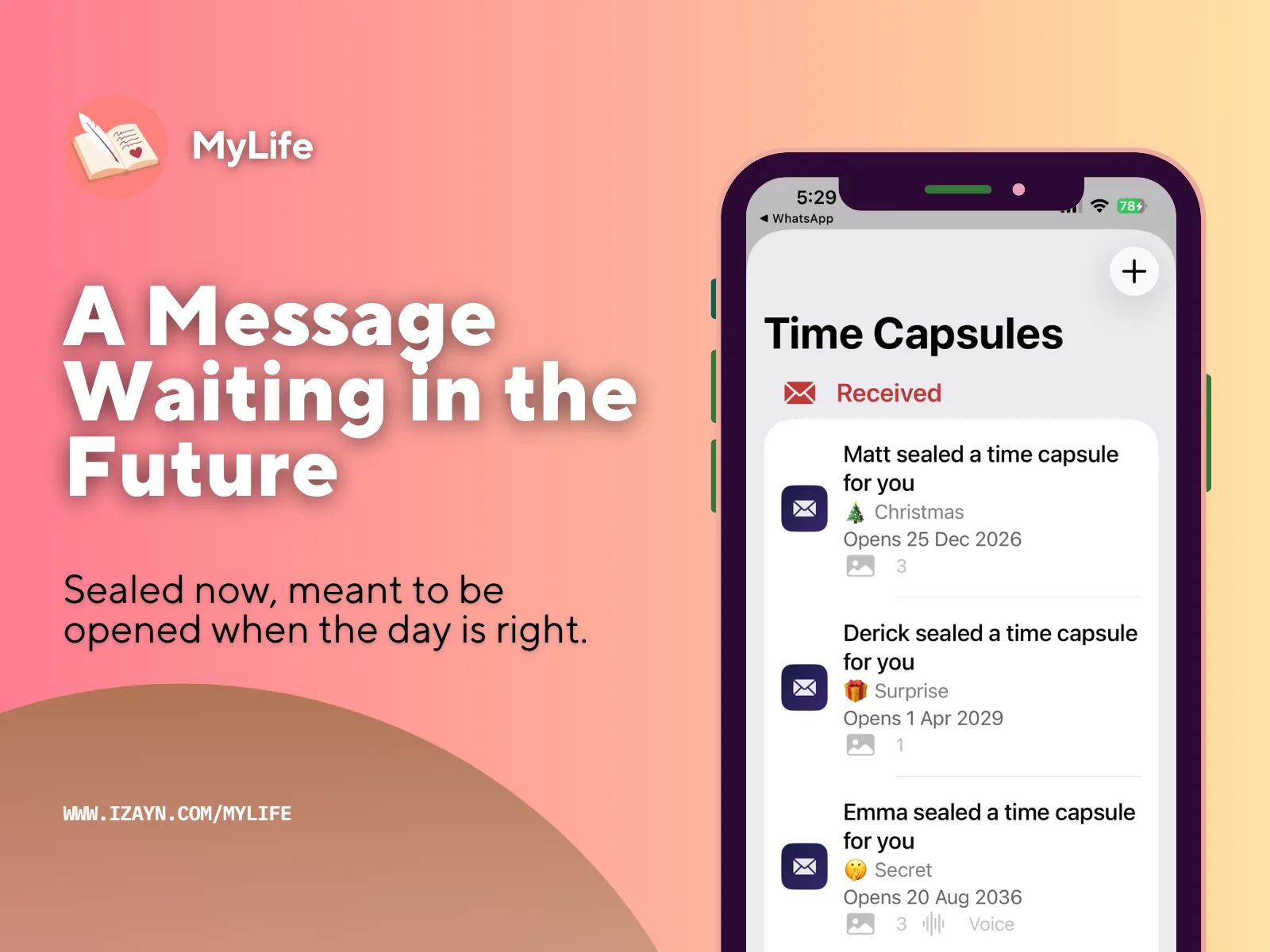
What is Time Capsule?
Time Capsule is a feature inside MyLife: Timeline Journal that lets you create a sealed, private message for someone else — full of emotion, photos, and even your voice. The message is completely locked until a date you choose. On that date, both of you get a notification at the exact same moment, and the capsule unlocks together. It's like a sealed letter delivered digitally.
Create → Share → Unlock together
1. Create
Write your message, add up to 3 photos and a 60-second voice recording if you like, then choose a category and the recipient's name. Set an unlock date at least 7 days from today, then tap Seal — the capsule locks immediately. Even you can't read it back after this.
2. Share
Sealing creates a .mylifecapsule
file. Send it however you like — WhatsApp, iMessage, AirDrop, email. The recipient
downloads the free MyLife: Timeline Journal app, taps the file, and imports it into their own
Time Capsule inbox, where it sits sealed with a countdown to the unlock date.
3. Unlock together
On the unlock date, you and the recipient both get a notification at the exact same time. Tapping the capsule plays a cinematic reveal — then the full message, photos, and voice recording are ready to open.
Their phone doesn't matter
Anyone can send you one — Android, no smartphone, doesn't matter.
Not everyone in your life has an iPhone, and that's fine — sending a Time Capsule doesn't require MyLife: Timeline Journal at all. Anyone with a web browser can seal a real one for you, free, no app, no install. You still need the MyLife: Timeline Journal app on your iPhone to receive and unlock it — that part hasn't changed — but the person sending it to you can be on Android, an old flip phone, or a laptop at the library.
Your Android best friend, your mum who's never owned an iPhone, your partner who refuses to switch — none of that stops them from sealing something for you.
Send someone a Time Capsule →MyLife: Timeline Journal is currently iPhone only, with Android support coming soon — until then, this is how anyone can still send you something real.
What can you put inside
- • A personal message — a birthday note, a wedding wish, words of encouragement, a love letter, a legacy message. Anything.
- • Up to 3 photos — from your camera roll or taken in the moment.
- • A voice recording — up to 60 seconds of your actual voice, which text alone can't give.
The 60 seconds that matter most
Text says the words. Your voice says everything else.
A written message can say "I love you." Hearing it — the pause before you say it, the way your voice catches, the laugh in the middle of a sentence — is a completely different thing. It's the difference between reading a letter and having someone sit down next to you and actually say it.
A voice recording, sealed inside a capsule — exactly what the recipient hears the moment it unlocks.
People re-read letters. They replay voices.
20+ categories
Every capsule has a category, giving the recipient a hint of what's inside without spoiling the message.
Secret
Birthday
Wedding
Graduation
New Baby
Anniversary
Christmas
New Year
Love Letter
Legacy
Bestie
Glow Up
Exam Season
Prom Night
First Job
Moving Out
Main Character
Healing Era
Manifestation
Surprise
Not sure what to seal? Here are some ideas.
A few real ways people use Time Capsule — pick one, or let it inspire your own.
For your daughter, to open on her 18th birthday
"Hi baby girl, if you're reading this, you just turned 18. I'm holding you as a newborn right now, and I can't imagine who you've become. I hope you're kind, brave, and completely yourself."
For your husband, to open on your first anniversary
"One year ago today, I promised to love you for the rest of my life. I still mean every word — and I recorded this so you can actually hear it, not just read it."
For your best friend, to open on her 30th birthday
"Happy 30th! Remember when this felt impossibly far away? Here we are. I'm so proud of who you've become — and I still can't believe we're this old."
For your daughter, to open the day she graduates
"We watched you take your first steps. Now you're walking across that stage. We are so unbelievably proud of you — go build the life you dream of."
A confession, sealed for "someday"
"There's something I've never told you. I'm sealing this because I'm not brave enough to say it out loud yet — but maybe by the time you read this, I will be."
For your boyfriend, to open on your one-year anniversary
"We've been together one month and I already know I want to remember this feeling. If we make it to a year, I want future-us to hear exactly how it felt right now."
The reveal
Before the unlock date, the recipient sees a sealed card — the category emoji, a title like "Someone sealed a Birthday surprise for you," and a countdown to the exact unlock time. They can't read the message, see the photos, or hear the voice recording until then.
When it unlocks, tapping the capsule opens a full-screen reveal: a lock icon animates from closed to open with a coral glow, the category emoji bounces in, "Time Capsule Unlocked" appears, then a Reveal button opens the full message.
Your capsule never touches our servers
The .mylifecapsule file is shared
directly between you and the recipient, peer-to-peer — MyLife: Timeline Journal doesn't store,
read, or have any access to what's inside it. Everything is stored on-device only, and photos or
voice recordings live in a private area of your iPhone that doesn't show up in the Files app. Time
Capsules are included in MyLife: Timeline Journal's backup and restore system, same as the rest of your
journal.
One honest caveat: the
.mylifecapsule file itself is not
encrypted, so avoid sealing anything you wouldn't want seen if it were forwarded to someone
else.
Questions people ask about this
Does the recipient need the MyLife app to open a Time Capsule?
Yes. They'll need the free MyLife app to open the .mylifecapsule file — download it from the App Store, then tap the file and choose "Open in MyLife" to import it into their Time Capsule inbox.
What happens if someone opens the file before the unlock date?
Nothing changes. They can import it into their Time Capsule inbox early and see a sealed card with a countdown, but the message, photos, and voice recording stay locked and unreadable until the exact date and time you chose.
Is a Time Capsule encrypted?
No. The .mylifecapsule file is not encrypted, so avoid sealing anything you wouldn't want seen if the file were forwarded on to someone else.
Does MyLife see what I put inside a Time Capsule?
No. The file is shared directly between you and the recipient — it never touches MyLife's servers, and we don't store, read, or have access to any capsule content.
What happens to my Time Capsules if my free trial ends?
Nothing is hidden or removed. Sealed capsules still unlock right on schedule, you'll still get the notification the moment one's ready, and you can still watch the full reveal and read the message, photos, and voice recording inside. Capsules someone else sends you are always free to open, no purchase needed. The only things that require a purchase are creating new capsules and re-sending existing ones — so if you have one sealed and waiting to open in the future, it'll still unlock and you'll still get the full experience.
Troubleshooting
Received a .dat file instead of .mylifecapsule?
This is a known limitation of Facebook Messenger, not a bug in MyLife: Timeline Journal. When Messenger
delivers a file with a custom extension it doesn't recognize, it renames it to
.dat. The file itself is completely
intact — only the name has changed. This affects all custom file types sent through
Messenger, not just Time Capsule.
To fix it:
- Save the file to your iPhone (tap and hold the file in Messenger → Save to Files).
- Open the Files app on your iPhone.
- Find the file — it'll be named something like
MyLifeCapsule_20240901_143022.dat. - Tap and hold the file → tap Rename.
- Change the extension from
.datto.mylifecapsule. - Tap Done.
- Tap the renamed file — it'll open in MyLife: Timeline Journal and work perfectly.
Best sharing methods (no renaming needed):
- ✅ AirDrop — works perfectly, no issues
- ✅ iMessage — works perfectly
- ✅ WhatsApp — works perfectly
- ✅ Email — works perfectly
- ⚠️ Facebook Messenger — renames the file to .dat, requires the rename fix above
Seal your first Time Capsule
MyLife: Timeline Journal — a private, offline journal for iPhone. One-time purchase, 30-day free trial.
Try Free for 30 DaysOr seal one for free right now, no app needed · See your Life Battery · What is a life timeline? · Preserve a loved one's story · How your data stays private · Write to your future self · See how the Life Grid works · ← Back to MyLife: Timeline Journal