
Preserve a Loved One's Life Story
When someone passes away, their stories don't have to disappear with them — if they were written down somewhere first.
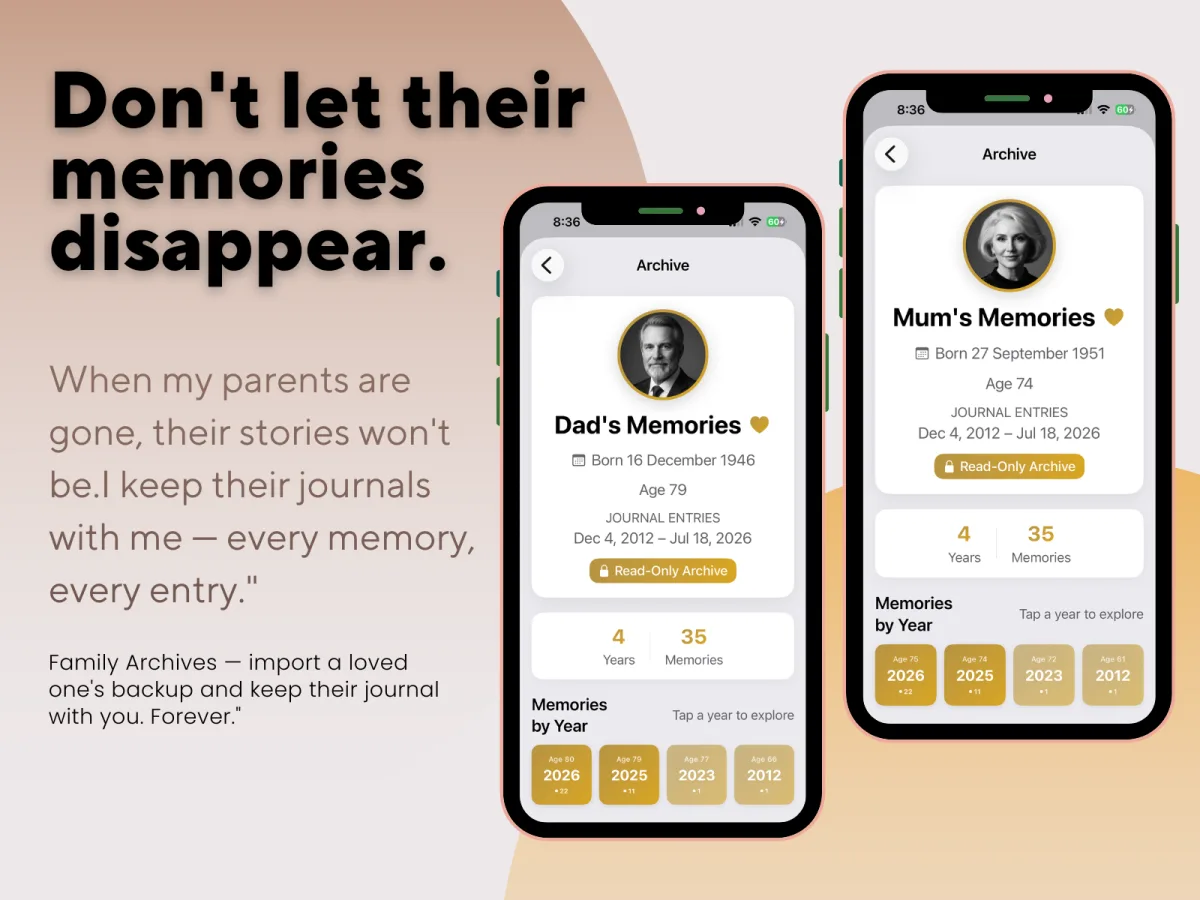
What Family Archives actually does
Family Archives lets you import a loved one's exported MyLife: Timeline Journal backup and keep their journal entries, photos, and memories on your own device — as a permanent, read-only archive. You can browse everything they wrote, in their own words, whenever you want to.
Who this is for
Adult children who want to keep a parent's or grandparent's stories after they're gone. People caring for an elderly parent who's already journaling, or who could start now, while there's still time to ask them the questions you'll wish you'd asked later.
How it actually works
- Your loved one journals in MyLife: Timeline Journal on their own iPhone, same as anyone else.
- They export a backup file — the same manual export every MyLife: Timeline Journal user already uses to keep their data safe.
- You import that backup file into Family Archives on your own device.
From there, their journal sits in your app as a separate, read-only archive — entries can be viewed, but never edited.
One thing worth being upfront about
Family Archives only imports backups exported from MyLife: Timeline Journal itself — it can't read a backup from Day One or any other journaling app. If your loved one wants their memories preservable this way, they'll need to have been journaling in MyLife: Timeline Journal.
Where the backup actually lives
An imported archive stays only on the device you imported it to — it isn't uploaded anywhere, and it isn't synced back to the original device. It's simply a private copy, kept exactly as private as everything else in MyLife: Timeline Journal.
Questions people ask about this
Is there an app to preserve family memories?
Yes. MyLife: Timeline Journal has a feature called Family Archives, which lets you import a loved one's exported journal and keep it on your device as a private, read-only memorial.
Can I read someone's journal after they pass away?
If they used MyLife: Timeline Journal and exported a backup of their journal before passing, you can import that backup into your own copy of MyLife: Timeline Journal and browse their entries as a read-only archive.
How do I preserve my parent's memories digitally?
Have your parent journal in MyLife: Timeline Journal and export a backup file. You can then import that file into your own device through Family Archives, keeping a private, read-only copy of their journal that stays with you.
Preserve their story
MyLife: Timeline Journal — a private, offline journal for iPhone. One-time purchase, 30-day free trial.
Try Free for 30 DaysHow your data stays private · What is a life timeline? · Write to your future self · See how the Life Grid works · Seal a Time Capsule · ← Back to MyLife: Timeline Journal