
🎃 Halloween Sale — 50% off MyLife: Timeline Journal, through Nov 4. One-time purchase, no subscription, ever.
Redeem My 50% Off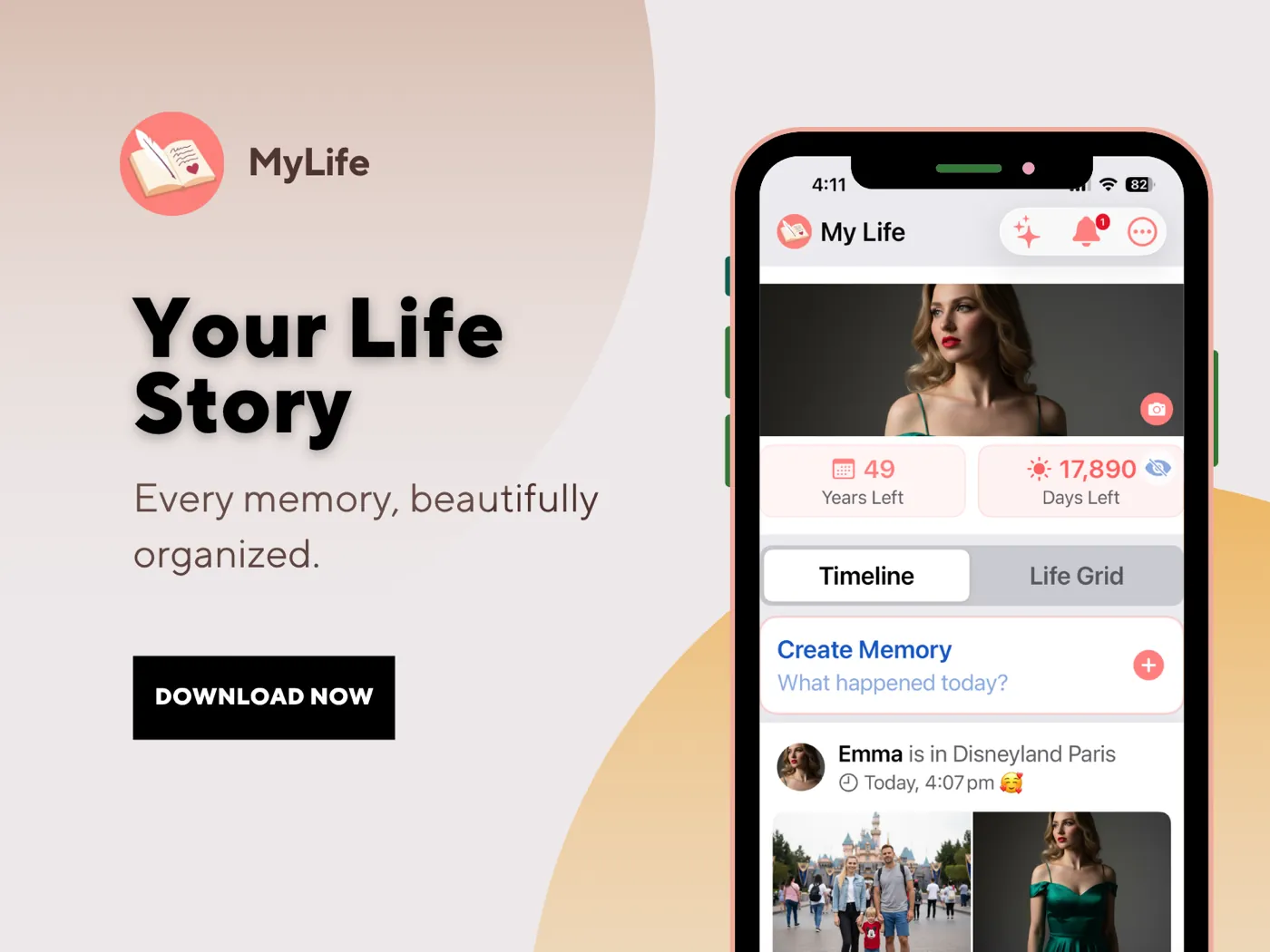
iPhone · Private · Offline
Your life, at a glance — and something to leave behind.
MyLife isn't just where you journal today. It's where letters to your future self get sealed, memories get preserved, and — one day — handed down.
Try Free for 30 DaysOne-time purchase · No subscription · iPhone only
“Most of a life never gets written down.”
Not because people don't care — but because a blank page doesn't show you why it matters, or who it's for. MyLife shows you: your whole life at a glance, and the people who'll want to read it one day.
The Life Grid
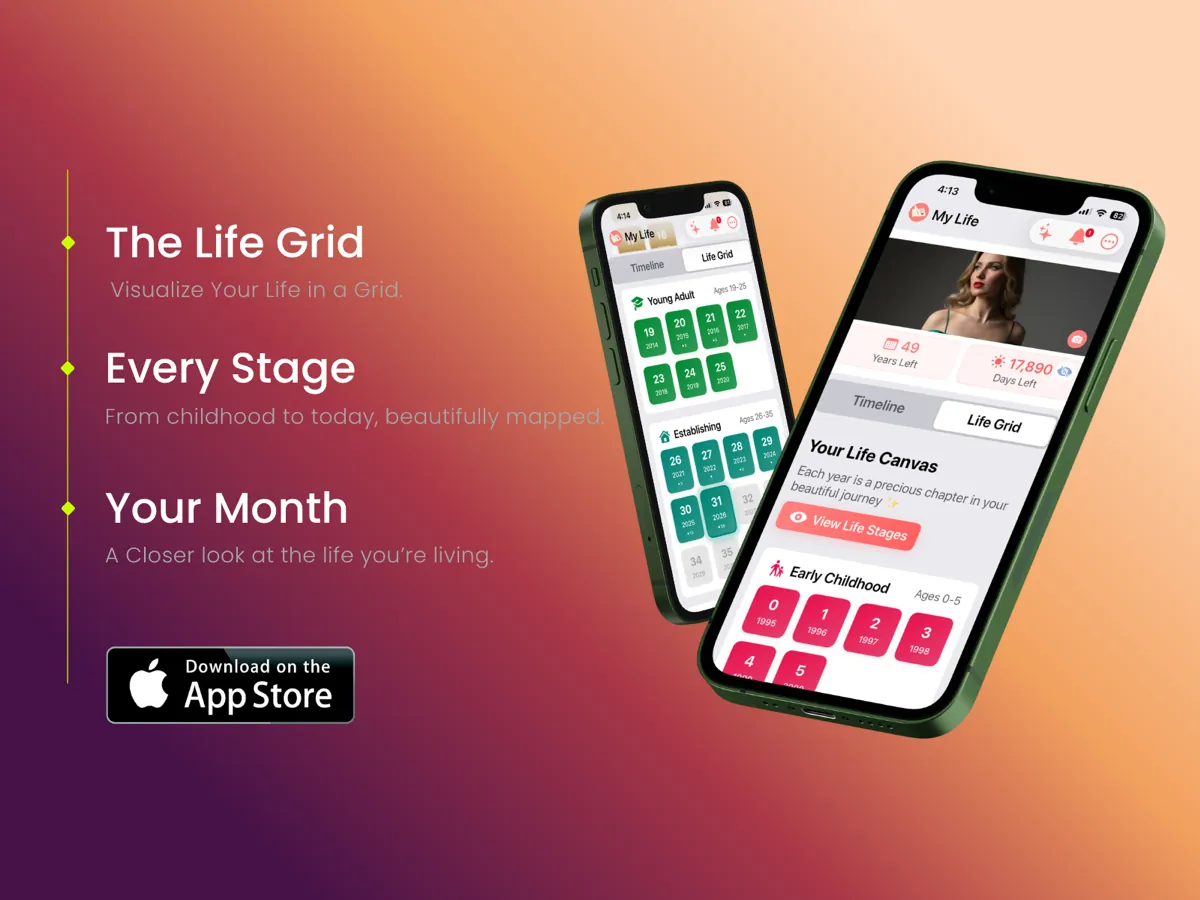
See your entire life at a glance.
Every year of your life, grouped into meaningful stages — from Early Childhood through Adulthood. Zoom out to see the whole picture of where you've been, then zoom in on any year, month, or day to relive what happened. And it's never too late to fill in the past — journal the week your parents brought you home, the day you got married, or the day your child was born, and it's placed exactly where it belongs in your timeline.
When you can see how much has passed and how much remains, you journal differently.
See how the Life Grid works →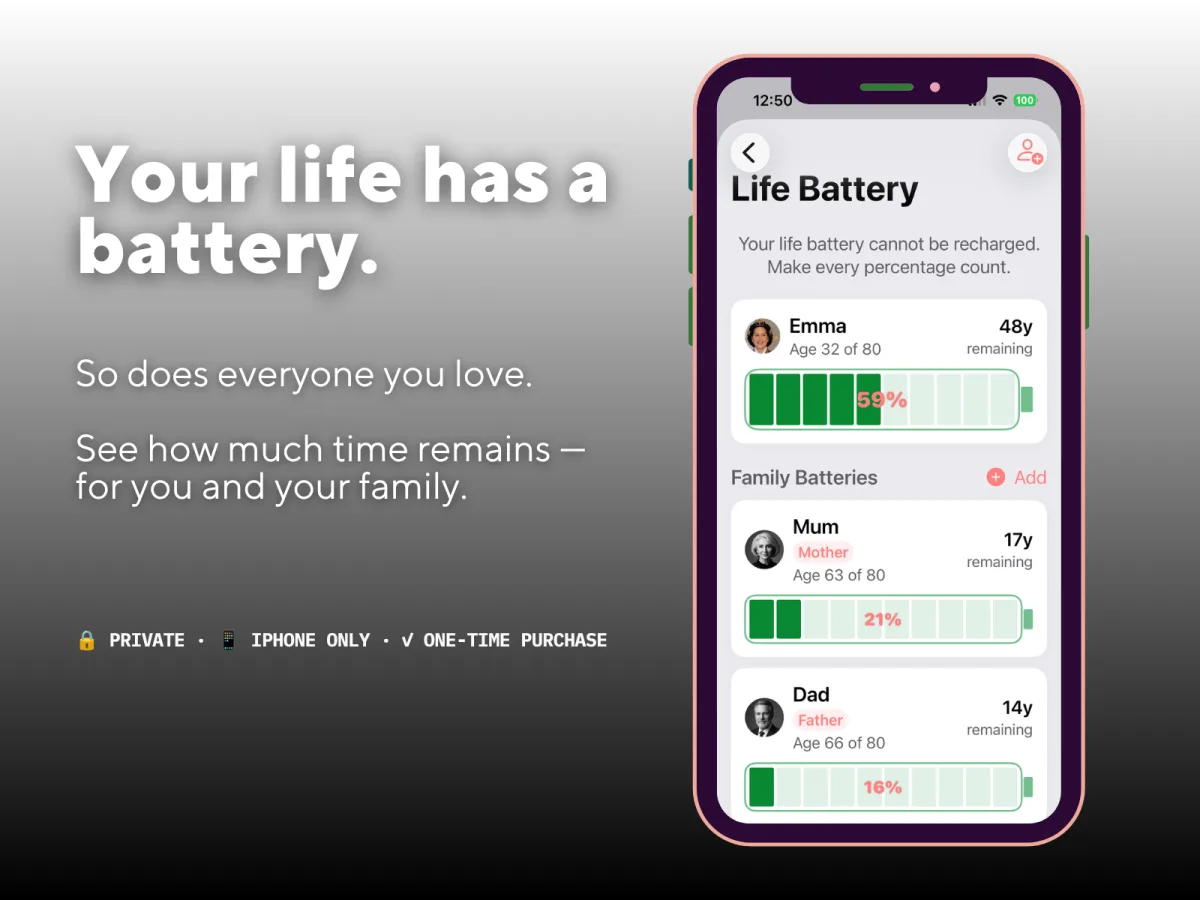
Life Battery
Your life as a battery.
Based on your birthday and expected lifespan, MyLife: Timeline Journal shows your remaining time as a battery percentage. Add family members — parents, children, friends — and see their battery alongside yours.
Seeing Mum at 21% or Dad at 16% is a quiet reminder to call them this Sunday.
How much of your life have you lived? →A reflective visualization based on the birthday and life expectancy you choose — not a medical tool, and not a prediction.
Capture the moment — every detail.
That kind of moment is exactly what a journal entry is for. Every entry can include:
Text & Title
Write as much or as little as you like.
Photos & Videos
Attach memories from your camera roll.
Voice Dictation
Speak your entry — transcribed on-device, privately.
Mood Tags
Tag how you felt — see patterns over time.
Location
Remember exactly where it happened.
Face ID Protected
Nobody reads this but you.
Time Capsule
Seal a message. Unlock it together.
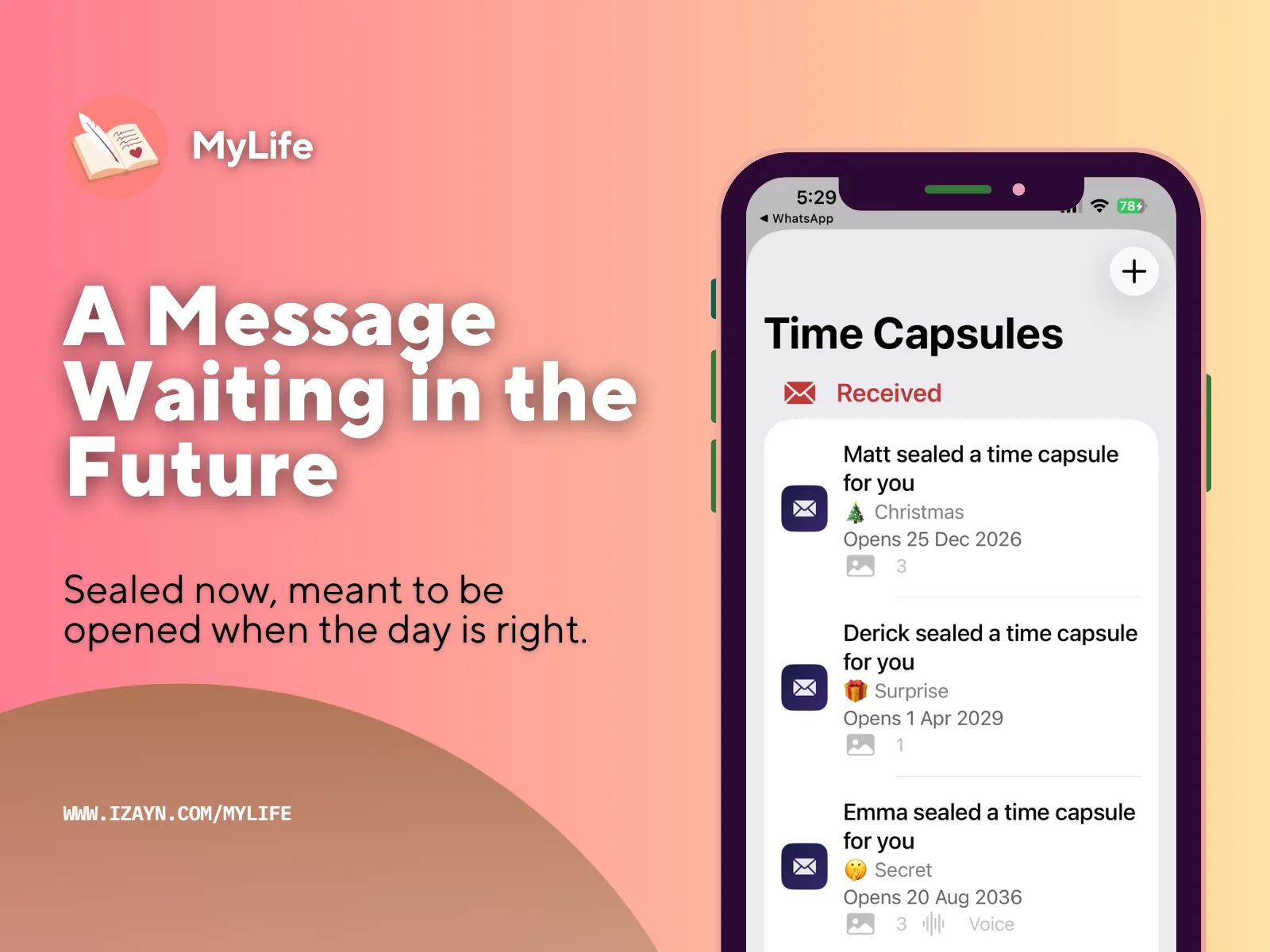
Write something for someone special, seal it until a date you choose, and you'll both find out the moment it unlocks — at the exact same time. A note for a new baby, a wedding day surprise, a graduation, or just a secret only the two of you will know.
- ✓ Write a message, add up to 3 photos, and record up to 60 seconds of your voice
- ✓ Choose from 20+ categories to hint at what's inside without spoiling it
- ✓ Set an unlock date at least 7 days away — even you can't read it back once it's sealed
- ✓ You and the recipient are notified at the exact same moment it unlocks
The 60 seconds that matter most
Text says the words. Your voice says everything else.
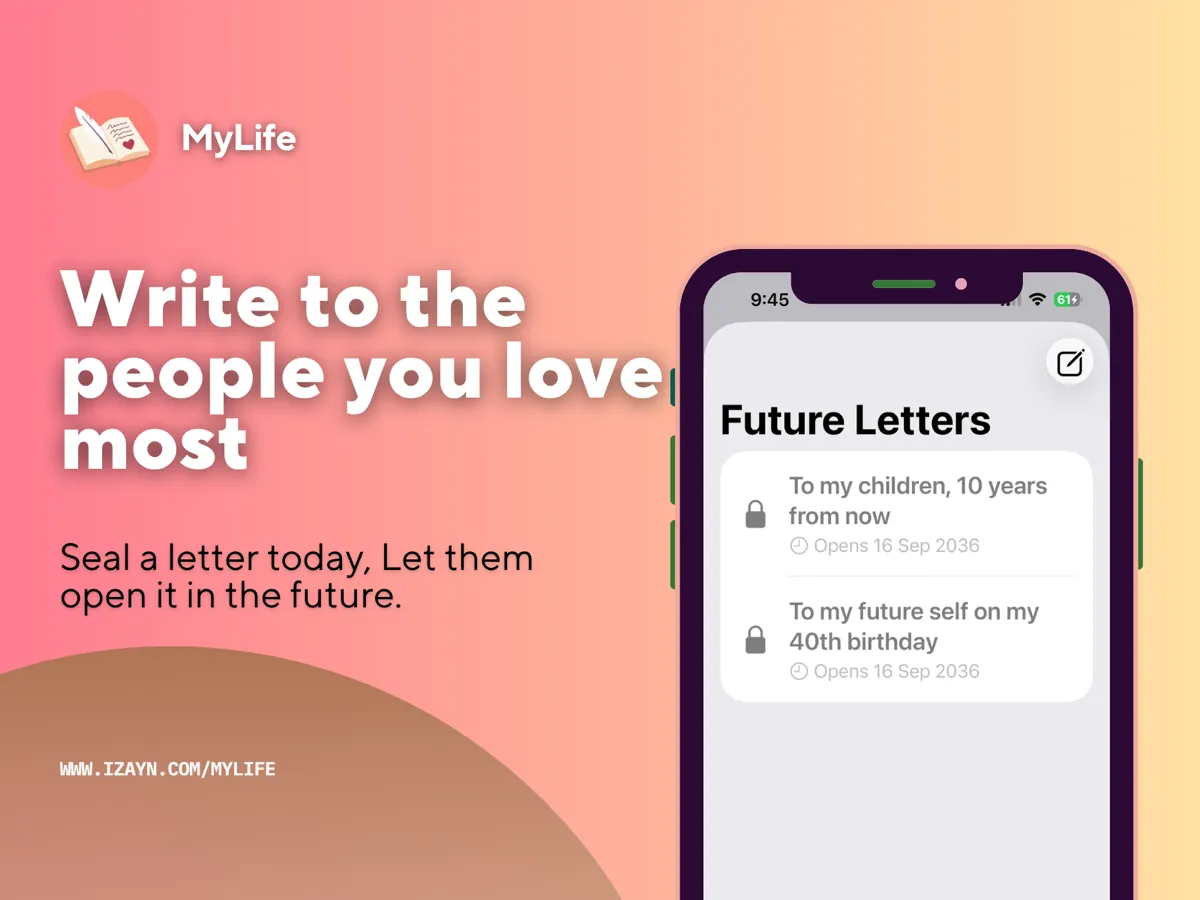
Letters to Future Self
Write to your future self.
Seal a letter today. Set a delivery date — weeks, months, or years from now. It stays locked until the moment arrives. You'll receive a notification the day it opens.
“I wrote a letter to my daughter to open on her 18th birthday. She's 6 now.”
What should you write? →On This Day
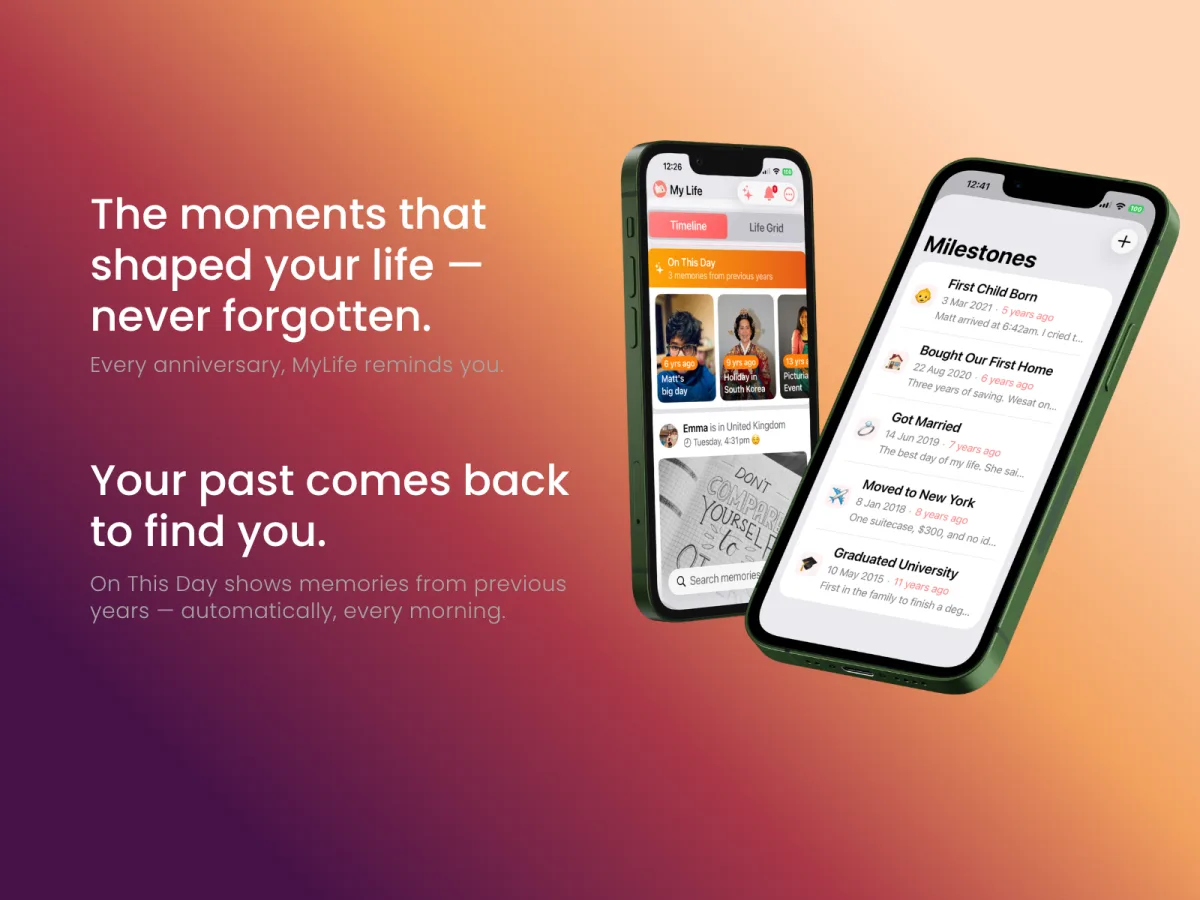
Your past surfaces every morning.
On This Day shows memories from previous years on today's date. Milestone Anniversaries remind you every year — your wedding, the day you got the job, the day everything changed. They appear automatically in your Timeline feed.
Digital Photo Album
Some photos aren't meant for social media. They're meant for family.
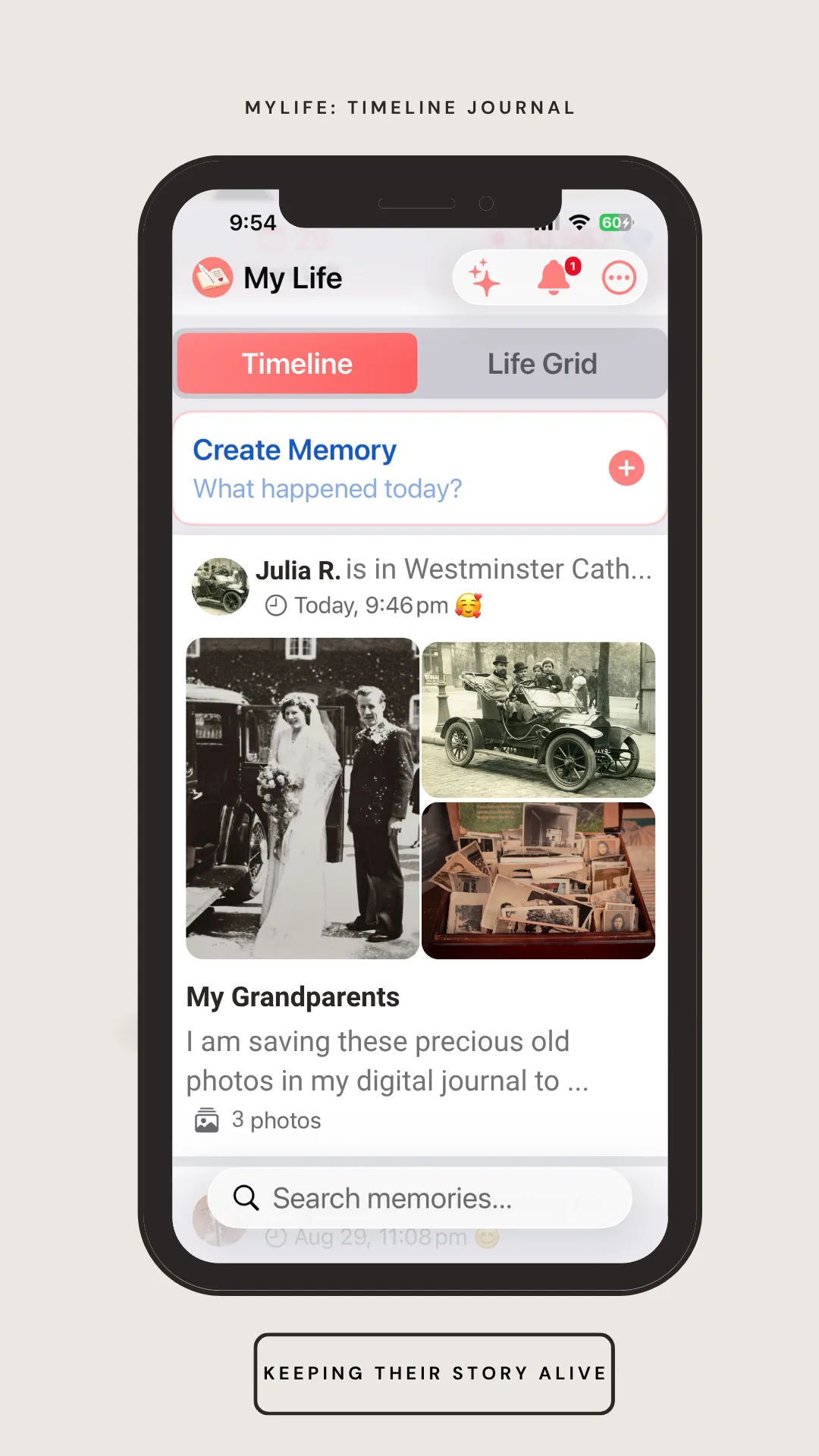
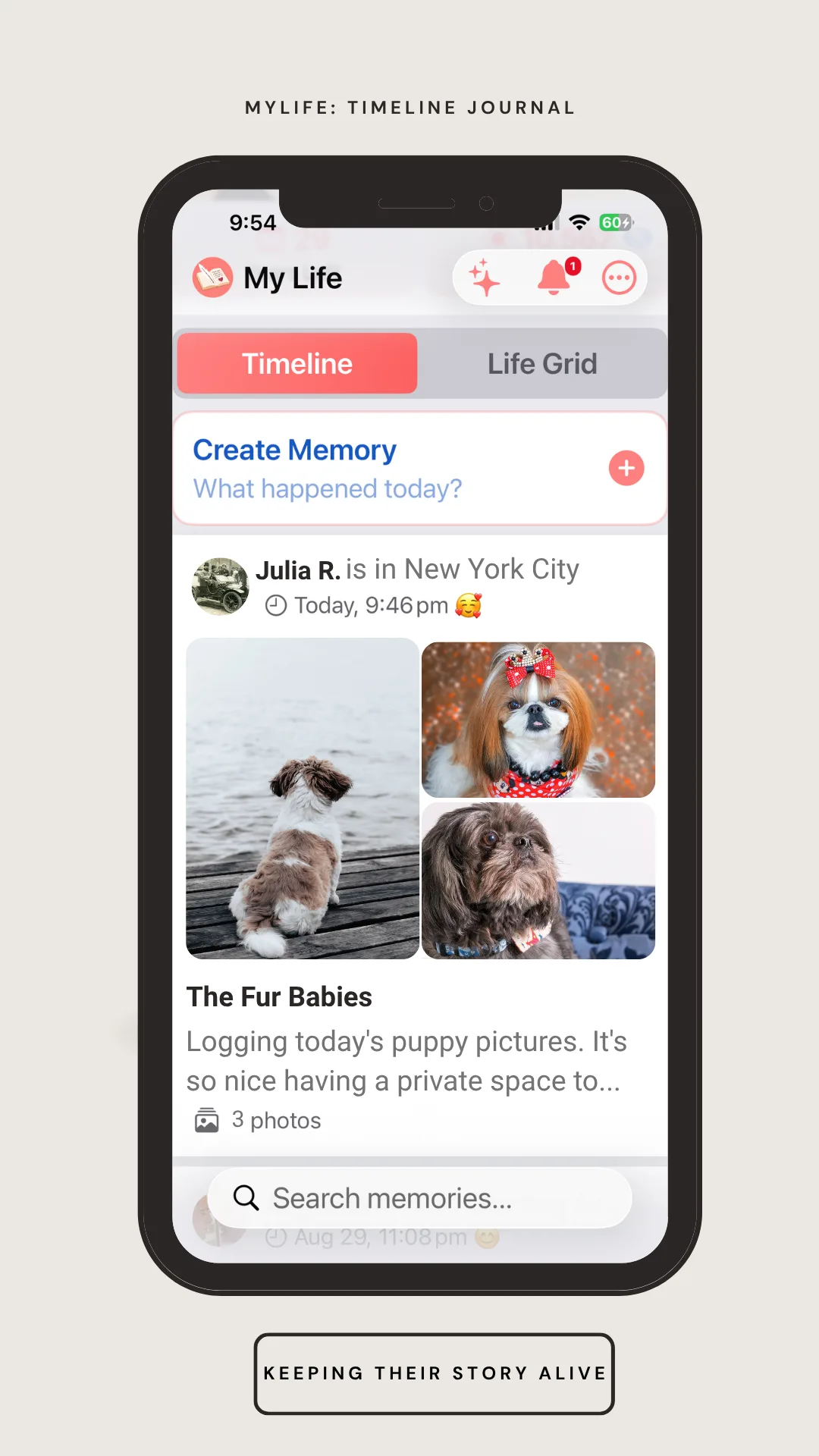
Add as many photos to a memory as it deserves — scanned prints from your grandparents, everyday moments you'd never post, or the ones that are just for you. MyLife: Timeline Journal becomes a private digital photo album: organized by date on your Timeline, browsable by era on the Life Grid, and never uploaded anywhere.
Just like the photo albums our parents kept on a shelf — except this one can be backed up and handed down, not lost in a move or a flood.
Family Archives
When someone you love passes away, their memories don't have to disappear.
Family Archives lets you import a loved one's MyLife: Timeline Journal backup and keep their journal on your device as a private, read-only archive. Browse every entry they ever wrote. See their photos. Read everything exactly as they wrote it, in their own words.
It's designed for the moment after loss, when you'd give anything to hear them one more time.
- ✓ Import any .mylifebackup file from a family member's device
- ✓ Browse their entire journal in a Life Grid view — their whole life, navigable
- ✓ Stored only on your iPhone — private, never uploaded anywhere
“My mum kept a journal for 6 years before she passed. I had no idea. Now I carry every entry with me.”
— The reason Family Archives was built
Try Free for 30 Days How Family Archives actually works →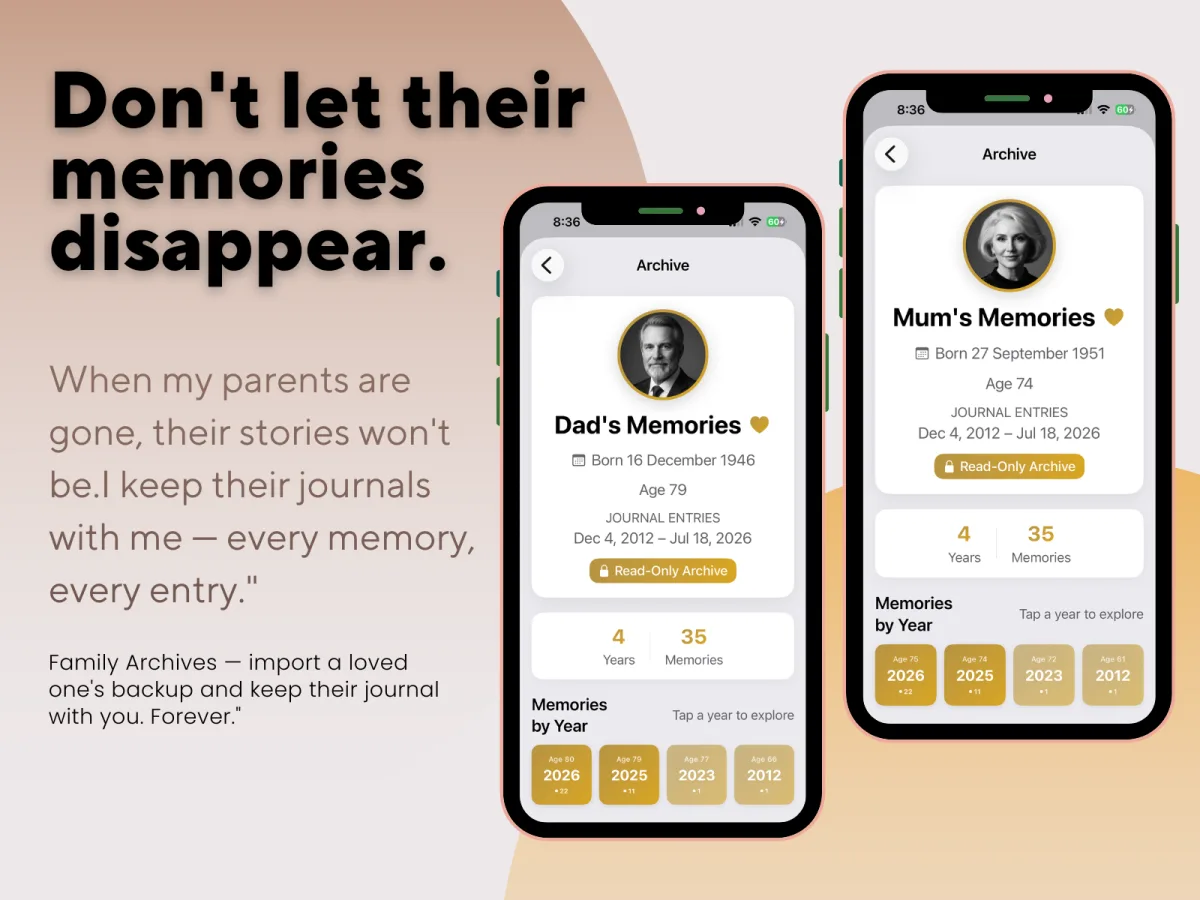
And the good years, too
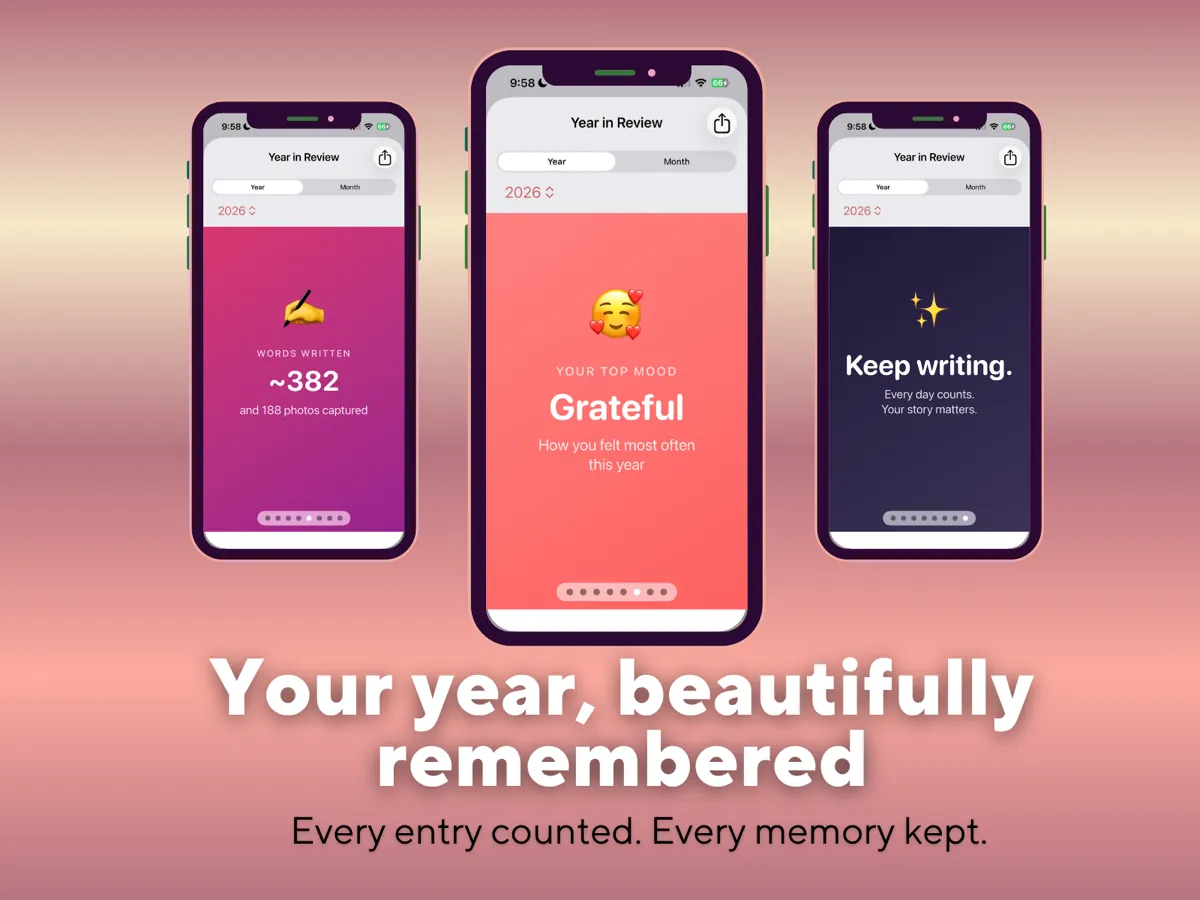
Year in Review
A beautiful, shareable recap of your year or any month — total entries, your longest journaling streak, words written, photos captured, and your most common mood. It's a private, on-device look back at how you actually spent your time, built entirely from your own journal entries.
Three steps. A lifetime of memories.
Set your birthday.
The Life Grid builds itself around your life from the day you were born.
Add your first memory.
Any day, any year — even decades ago. Go back as far as you want.
Come back tomorrow.
One entry at a time, your whole life takes shape — ready to be handed down.
Privacy First
Everything stays on your iPhone.
- ✓ No accounts, no sign-ups required
- ✓ No cloud, no external servers
- ✓ No analytics, no tracking of any kind
- ✓ Face ID & Touch ID protection
- ✓ Manual backup — you control your data
- ✓ Works 100% offline
We built MyLife: Timeline Journal for people who treat their memories like they treat their diary — private.
See exactly what "private" means here →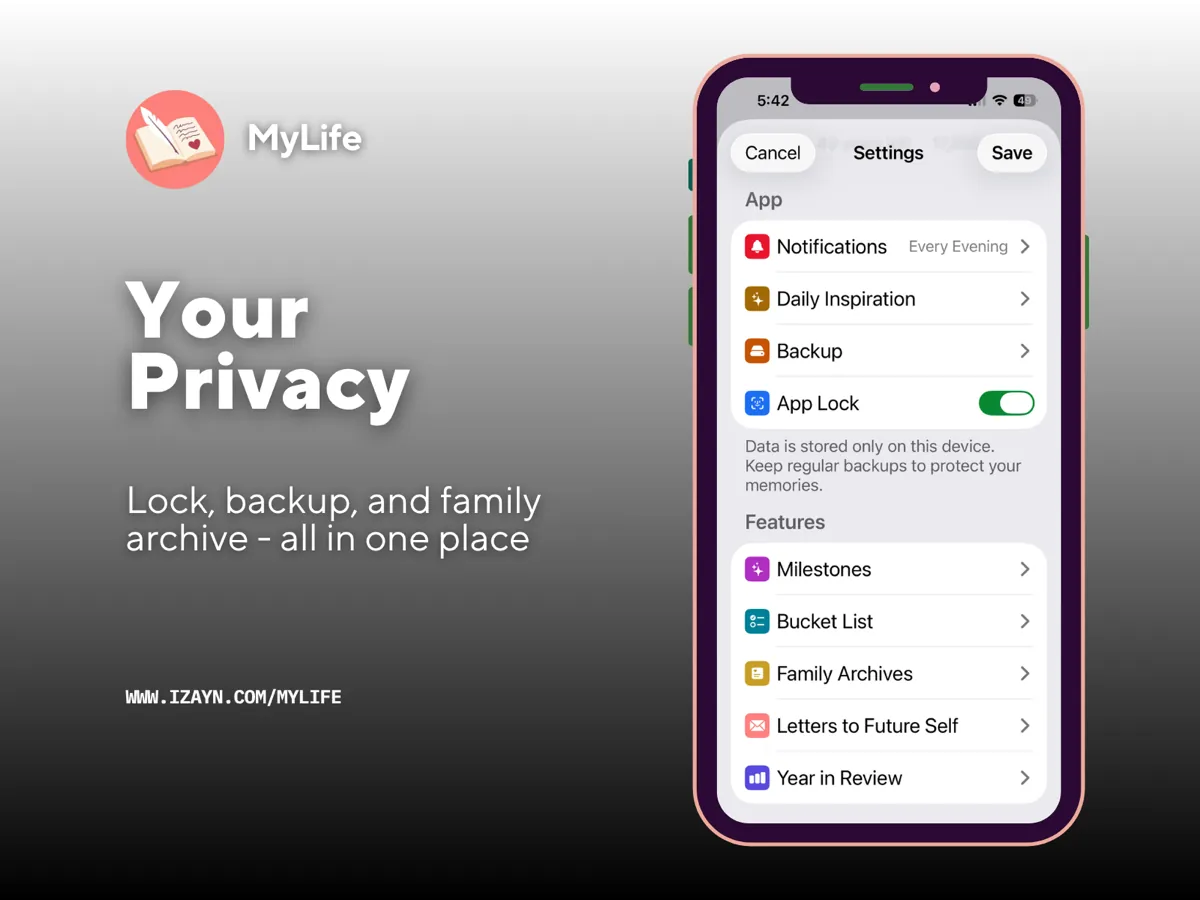
Everything you need. Nothing you don't.
Bucket List
Add dreams with priorities. When you achieve one, link it to a journal entry.
Daily Inspiration
One quote or Bible verse every morning from categories you choose.
Smart Backup
A one-tap backup to your iPhone, with a friendly reminder if it has been a while.
App Lock
Protect your journal with Face ID, Touch ID, or your device passcode.
Built differently from other digital journals
Most journaling apps ask for a subscription and a cloud account before you've written a single entry. MyLife: Timeline Journal doesn't need either — and it's built around ideas most journals don't have at all, like the Life Grid, Life Battery, and Family Archives: a journal made to be handed down, not just written in.
No subscription. No account. No cloud. Just your life, on your phone.
Try everything free for 30 days.
All features unlocked from day one. No credit card tricks. No recurring charges. If MyLife: Timeline Journal is right for you, it's one payment of $29.99 USD — yours forever.
Your purchase isn't just unlocking what's here today — it funds ongoing maintenance and new features, like Time Capsule, shipped free to everyone who already owns the app.

Available on iPhone

Free Download
30 Journal Prompts for a More Intentional Life
Not sure what to write? Start here — a free guide to help you begin, no spam, ever.
Get the Free GuideQuestions? mylifetimelinejournal@gmail.com